NuGuard Behavior Engine
Static and dynamic behavioral validation for live AI applications. It's designed for AI developers who want to verify that their application behaves as intended — exercising every declared component, respecting cognitive policy boundaries, and handling sensitive user data correctly — before the app reaches production.
The engine takes an AI-SBOM, a target URL, and a Cognitive Policy, then automatically generates and executes multi-turn test scenarios against the running application, judging every turn with a 3-dimension rubric and producing structured findings with actionable remediation.
Quick Start
Behavior testing needs a live target — point nuguard init at your running app, then run it.
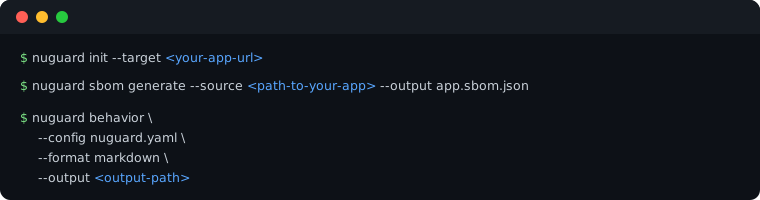
Common changes (in nuguard.yaml, under target: / behavior:):
- Target URL and endpoint —
target.url,target.endpoint(default: auto-discovered from SBOM, fallback/chat) - Request/response payload shape —
chat_payload_key/chat_response_key/chat_payload_extrasif your app doesn't use{"message": "..."}/{"response": "..."} - Auth —
target.auth:bearer,api_key,basic,login_flow, orcookie_file(a captured session cookie — see below)
🔐 App behind an interactive login (Auth0, SSO, OAuth redirect)?
bearer/basic/login_flowcan't drive a browser-based sign-in flow. Runnuguard target discover-browseronce to log in with a real (headless) browser, capture the session astarget.auth.type: cookie_file, and auto-detect any extra chat payload fields the app requires (e.g. an opaque consumer/account ID) — then re-runbehavioras usual.
Configuration
The examples below use the OpenAI Customer Service Agents demo — a FastAPI backend serving five airline-support agents — as a worked example. Full walkthrough: example-openai-cs-agents.md.
Target URL
target.url is the base URL of the running backend, shared with nuguard redteam. target.endpoint is the chat path appended to it — leave empty to auto-discover from the SBOM's API_ENDPOINT nodes (falls back to /chat):
target:
  url: http://localhost:8000        # backend URL, not the frontend
  endpoint: /chat                    # optional — omit to auto-discover from the SBOM
behavior.target / behavior.target_endpoint override the shared block only if behavior testing needs a different endpoint than red-teaming.
Auth
target.auth is inherited from the shared block (see Auth in the redteam guide for the full type table: bearer, api_key, basic, login_flow, none). The demo app runs locally with no auth in front of it:
target:
  auth:
    type: none
Behavior-specific options
behavior.workflows selects which scenario layers to generate — leave empty to run all four:
| Workflow | Generates |
|---|---|
topic_coverage |
Happy-path conversations per allowed policy topic |
agent_tool_coverage |
One scenario per agent, tool, API endpoint, and agent-handoff in the SBOM |
guardrail_coverage |
Probes for HITL triggers and data-classification guardrails |
data_discovery_probe |
Discovers real user data mid-conversation and checks how the agent reacts to it |
See the Behavior Scenario Catalog for how these workflows map to the underlying scenario types and the judging rubric.
Other commonly-tuned fields:
| YAML key | Default | Description |
|---|---|---|
behavior.use_llm (--llm) |
false |
Enables LLM-generated scenario phrasing and judging (falls back to deterministic templates when off) |
behavior.coverage_turns_per_scenario |
5 |
Max adaptive turns appended to probe still-uncovered components |
behavior.max_session_turns |
10 |
Hard cap on total turns per scenario session |
behavior.tool_chain_size |
4 |
Max tools grouped into one multi-turn coverage scenario |
behavior.guided_coverage |
false |
Use a live LLM-steered conversation instead of pre-scripted tool chains |
behavior.capability_discovery |
true |
Probe the live agent for undeclared tools/sub-agents and merge them into the in-memory SBOM |
behavior.request_timeout |
60.0 |
Per-request HTTP timeout in seconds |
For the demo app, nuguard.yaml sets:
behavior:
  llm: true
  request_timeout: 60
  verbose: true
which is what produced the 28-scenario, 38-finding run described in Run Behavioral Testing.
Resuming an aborted run
Same checkpoint/resume support as nuguard redteam: if a run is interrupted after at least one
scenario has completed, NuGuard writes a checkpoint under prompt_cache_dir and raises a
PartialRunError naming it. Pass the path back with --resume (or behavior.resume in
nuguard.yaml) to skip already-completed scenarios and merge results into the final report:
nuguard behavior -c nuguard.yaml --resume nuguard-reports/.cache/behavior-<key>.json
The checkpoint is fingerprinted against the SBOM/policy it was created with; resuming against
different inputs raises a CheckpointMismatchError rather than mixing results.
📖 Need every flag?

🔀 Want to run a different test?
