NuGuard Red-Team Engine
Dynamic adversarial testing for live AI applications. It's designed for AI developers who may not have deep security expertise but want to proactively identify and fix weaknesses in their AI systems before production.
The engine takes an AI-SBOM, a target URL, and optionally a Cognitive Policy, then automatically generates, executes, and scores attack scenarios against the running application — producing structured findings with OWASP/MITRE mappings and LLM-generated remediation briefs.
Only run the red-team engine against a sandbox or staging environment — never against production. It sends adversarial payloads designed to trigger real tool calls, data access, and side effects, so it should only ever run against an environment where that behavior is safe to provoke.
Quick Start
Defence regressions run before attack scenarios. Their logs identify each configured
regression name, variant, generation source, elapsed time, and outcome. Payloads and
target response bodies are omitted from these probe logs. Configure
redteam.defence_regression_timeout (default 180 seconds for the entire pre-pass,
including variant generation) and redteam.defence_regression_probe_timeout
(default 30 seconds per probe, including retries). Expired and failed probes are
inconclusive; they cannot produce bypass findings. Incomplete regression coverage
prevents an otherwise clean scan from reporting no_findings.
In concurrent and progressive mode, ambiguous app fallback text receives one
short retry; HTTP 502/503/504 failures
receive two. Retry backoff releases the request slot. Explicit structured provider
policy blocks are non-retryable, and session history is never used to infer a block.
The existing max_transient_hold_seconds client option now bounds wall-clock time,
including requests and waits. External cancellation propagates normally.
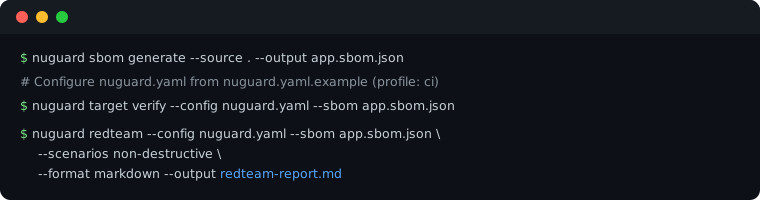
Start in your application's source directory:
nuguard sbom generate --source . --output app.sbom.json
Use the annotated nuguard.yaml.example
to create nuguard.yaml for your app's target, authentication and payload shape.
Set redteam.profile: ci for a first pass. Verify the live target before running attacks:
nuguard target verify --config nuguard.yaml --sbom app.sbom.json
nuguard redteam --config nuguard.yaml --sbom app.sbom.json \
  --scenarios non-destructive --format markdown --output redteam-report.md
Common changes (in nuguard.yaml, under target: / redteam:):
- Target URL and endpoint —
target.url,target.endpoint(omit the endpoint for authenticated live discovery) - Request/response payload shape —
redteam.chat_payload_key/chat_response_key/chat_payload_extrasif your app doesn't use{"message": "..."}/{"response": "..."} - Auth —
target.auth:bearer,api_key,basic,login_flow, orcookie_file(a captured session cookie — see below)
🔐 App behind an interactive login (Auth0, SSO, OAuth redirect)?
bearer/basic/login_flowcan't drive a browser-based sign-in flow. Runnuguard target discover-browseronce to log in with a real (headless) browser, capture the session astarget.auth.type: cookie_file, and auto-detect any extra chat payload fields the app requires (e.g. an opaque consumer/account ID) — then re-runredteamas usual.
Configuration
The examples below use the OpenAI Customer Service Agents demo — a FastAPI backend serving five airline-support agents — as a worked example. Full walkthrough: example-openai-cs-agents.md.
Target URL
target.url is the base URL of the running backend, not the frontend. Point it at wherever the app's chat endpoint is served — a local dev server, a staging deployment, or a container. For the demo app that's the FastAPI process, not the Next.js UI:
target:
  url: http://localhost:8000        # backend URL, not the frontend
target.endpoint is the chat endpoint path appended to target.url. Omit it to validate
SBOM candidates against the live target, try authenticated HTTP probes, and use browser
discovery when needed. The confirmed route and payload shape are retained for the scan.
If discovery cannot confirm a route, the scan stops with an endpoint-not-found error;
set the correct path explicitly or check the backend URL and login configuration.
target:
  url: http://localhost:8000
  endpoint: /chat                   # optional — omit to auto-discover from the SBOM
Resolution order when no target.url is set at all: --target CLI flag → redteam.target in nuguard.yaml → SBOM-discovered URLs (local → staging → production) → error.
Before running a full scan, verify the URL and endpoint actually resolve to a live chat endpoint:
nuguard target verify --config nuguard.yaml --sbom app.sbom.json
Auth
target.auth is a shared block inherited by both nuguard behavior and nuguard redteam; override it under redteam.auth only if red-teaming needs different credentials than behavioral testing. Supported type values:
| Type | Use case | Required fields |
|---|---|---|
bearer |
Static bearer token | header (e.g. "Authorization: Bearer ${TARGET_TOKEN}") |
api_key |
API key in a custom header | header (e.g. "X-API-Key: ${TARGET_API_KEY}") |
basic |
HTTP Basic Auth | username, password |
login_flow |
App exposes a login endpoint that returns a token | login_flow.endpoint, login_flow.payload, login_flow.token_response_key, login_flow.token_header |
cookie_file |
Browser login or an existing captured session | cookie_file (path to a Netscape-format cookies.txt) |
none |
Open/local-dev endpoint, no credentials | — |
The demo app runs locally with no auth in front of it:
target:
  auth:
    type: none
Always source credential values from environment variables with ${VAR} interpolation — never commit tokens or passwords directly into nuguard.yaml.
Redteam profile (CI vs. Full)
redteam.profile (--profile on the CLI) controls how many scenarios run, trading speed for coverage:
| Profile | Catalog selection cap | Threshold | When to use |
|---|---|---|---|
ci (default) |
20 | base_impact ≥ 5.0 |
Pre-merge gates; excludes destructive and resource-exhaustion catalog scenarios |
standard |
40 | base_impact ≥ 3.0 |
Regular scans during development |
full |
All applicable scenarios | No impact threshold | Pre-release audits and security review |
minimal |
One static scenario | No impact threshold | Target smoke check; disables guided conversations |
Actual counts depend on discovered capabilities, scenario filters, and generated variants.
redteam.min_impact_score adds a minimum pre-score for inclusion; it does not restore
catalog scenarios already excluded by the profile.
For the demo app's pre-release scan, the nuguard.yaml sets:
redteam:
  profile: full
which is what produced the 111-scenario run described in Red-Team the Live App.
For a CI gate, set redteam.profile: ci in nuguard.yaml, then run:
nuguard redteam -c nuguard.yaml --profile ci --format sarif --output results.sarif --fail-on high
Scenarios (destructive / non-destructive filter)
redteam.scenarios (--scenarios on the CLI) restricts the run by whether a scenario is
likely to mutate or destroy target state. Omitted or empty filters run non-destructive
scenarios only. Values: destructive, non-destructive.
A scenario is classified destructive when it asks for mutating actions such as
cancel/delete/refund, contains a credentialed write through a direct HTTP probe, or tests
resource exhaustion. Mutating scenarios run after non-destructive probes. The filter is a
classification of intended behavior; adversarial prompts can still trigger unexpected side effects.
For a first pass against a shared or production-like target, restrict to non-destructive scenarios only:
redteam:
  profile: ci
  scenarios:
    - non-destructive
Equivalent CLI form:
nuguard redteam -c nuguard.yaml --scenarios non-destructive
Once you're confident the target can tolerate mutating actions (a throwaway/staging environment, seeded test data you can re-seed), run both:
redteam:
  profile: full
  scenarios:
    - non-destructive
    - destructive
Use standard or full when opting into mutating tests; the CI catalog excludes them.
For write-capable API probes, configure redteam.canary with a disposable tenant's
session_token. Without one, probes may use the configured target credentials; review
credential fallback notes in the report. See the example configuration.
For attack vectors, impact scores, goal types, and execution modes, see the Red-Team Scenario Catalog.
API endpoint coverage
Direct HTTP probes use the AI-SBOM's API endpoints in addition to the chat route.
Above redteam.api_endpoint_threshold (default 25), a configured red-team LLM selects
endpoints relevant to each probe family. CI spot-checks at most
redteam.ci_api_spot_checks endpoints (default 3); it uses a deterministic selection
when the LLM is unavailable. These are coverage limits, so a CI result does not establish
that every API route was tested.
Customizing the catalog
Export the bundled catalog, edit the exported entries, then select that file for a run:
nuguard redteam catalog-export --output my-catalog.yaml
nuguard redteam --config nuguard.yaml --sbom app.sbom.json --catalog my-catalog.yaml
The custom catalog replaces the bundled catalog. Keep stable entry IDs and the exported
field structure; profile, capability, and destructive-scenario filters still apply.
You can also set redteam.catalog: ./my-catalog.yaml in nuguard.yaml.
Execution modes
| Mode | Scheduling | Use case |
|---|---|---|
concurrent (default) |
Phases run in order; scenarios within a phase can run in parallel | Independent attack scenarios |
progressive |
Named phases run sequentially, one scenario at a time | A staged engagement; redteam.progressive.halt_on_severity can stop after a phase |
campaign |
Related objectives reuse conversations; representative coverage precedes deeper attempts | Broad coverage with less repeated setup |
Set redteam.mode in YAML or use --mode. redteam.max_concurrent_requests limits
HTTP requests to the target; it is separate from provider-side LLM rate limits.
Campaign mode (opt-in)
redteam.mode: campaign (or nuguard redteam --mode campaign) uses a coverage-first
scheduler and reuses conversations across related objectives. Use it when repeated setup
slows a run or whole families (tool abuse, agentic trust, MCP) remain untested.
What changes:
- One conversation, many objectives. Related objectives share a warm conversation branch (one benign baseline per branch, not one opener per scenario). A branch is rotated on identity change, an accepted instruction override, persistent writes, 24 turns / 8,000 estimated tokens, or unknown state after a transport error.
- Breadth first. One representative meaningful attempt per control × channel × identity boundary, in complexity-level order, then a depth pass. A critical finding never halts unrelated objectives; a failed prompt extraction never blocks tool or data controls.
- Retries never hold a request slot.
429/5xx cool down in a queue (Retry-Afterhonoured, at most two retries per 120 s per incident). A dead API route blocks that route only. - Fresh-session confirmation. Findings are reproduced in a brand-new conversation using
reserved capacity (20% of a finite request budget). Results are reported as
confirmed,not_reproduced,blockedornot_attempted; the original evidence is kept either way. - Containment is enforced. Objectives needing a second principal, a callback server, or a
declared dry-run/sandbox fixture are recorded as
blocked_fixture:<name>instead of running. - Coverage is reported separately from findings, and zero findings with untested controls is labelled inconclusive.
redteam:
  mode: campaign
  pre_run_warmup: 0            # campaign manages its own warm-up
  max_concurrent_requests: 1   # one request at a time (default)
  campaign:
    campaign_warmup: true
    confirm_in_fresh_sessions: true
    target_supports_session_reset: null   # detect; use true only when isolated reset is supported
    declared_fixtures: false              # true when dry-run/sandbox tools exist
    fixture_version: ""                  # change when the fixture changes
    max_run_target_requests: 600          # optional; unset = no hidden cap
If the target cannot create an isolated session, set both
target_supports_session_reset: false and confirm_in_fresh_sessions: false.
Setting reset support to false while confirmation remains enabled is a configuration
error. Keep declared_fixtures: false until the target actually provides the required
dry-run or sandbox behavior.
Optional campaign budgets also include max_run_seconds and max_run_llm_cost_usd.
Omitted budgets have no run-wide cap. Tune max_turns_per_branch, max_branch_tokens,
and max_objective_turns to bound conversations; the objective turn limit must not exceed
the branch turn limit.
Guided findings are confirmed by replaying the recorded attacker turns in a fresh conversation and
re-judging the final response with the same success criteria as the live run (they are blocked with
no_judge_available when no redteam LLM is configured). Current limit: WebSocket targets are not
supported (use concurrent). See
redteam-design.md for the design.
Resuming an aborted run
If a run is interrupted (crash, circuit breaker trip, Ctrl-C) after at least one scenario has
completed, NuGuard writes a checkpoint file under prompt_cache_dir and raises a
PartialRunError naming that file. Pass it back with --resume to pick up where the run left
off — already-completed scenarios are skipped and the final report combines the checkpointed and
newly-run results:
nuguard redteam -c nuguard.yaml --resume nuguard-reports/.cache/redteam-<key>.json
Equivalent config:
redteam:
  resume: nuguard-reports/.cache/redteam-<key>.json
The checkpoint is fingerprinted against the SBOM and policy it was created with — resuming
against a different SBOM/policy raises a CheckpointMismatchError instead of silently mixing
results. On a fully successful run the checkpoint file is deleted automatically.
Campaign resume also checks the target, authentication scope, and campaign.fixture_version.
It restores conversation state with current credentials and probes saved branches for liveness;
expired conversations are rebuilt from permitted setup without replaying writes.
Checkpoints contain authentication fingerprints rather than raw headers or cookies.
Upgrading to 0.9.15: authenticated campaign checkpoints created with the older
SHA-256 fingerprint cannot be resumed after the credential fingerprint upgrade. Start a
new campaign without --resume; a mismatch raises CheckpointMismatchError before
campaign state is restored. New fingerprints remain stable across processes and header
ordering, and credential rotation invalidates resume.
Reading campaign results
Review findings together with the coverage and reproduction sections:
| Result | What to check |
|---|---|
| Coverage quality | Attempted and meaningfully completed objectives, blocked controls, and work deferred by budgets |
| Reproduction | confirmed, not_reproduced, blocked, or not_attempted; original evidence is retained |
| Effect verification | Whether a concrete canary or synthetic-account effect was verified; a reproduced response alone does not establish a real side effect |
| Efficiency | Target requests, LLM calls, reused branches, and setup requests avoided |
Zero findings with untested controls is inconclusive. Resolve missing fixtures, transport failures, or exhausted budgets before using the report as a release decision. For JSON-safe library results and checkpoint exceptions, see platform integration.
📖 Need every flag?

🔀 Want to run a different test?

Remediation priority and coverage integrity
The shared remediation synthesizer applies source constraints after both synchronous and asynchronous generation. A recommendation cannot have a higher priority than its source finding. Canonical severity enum values are supported, and informational findings remain informational. The existing medium fallback is retained for older untyped inputs with missing or unrecognized severities.
Deduplication removes repeated advice, not source finding associations. Combined recommendations preserve all finding IDs and per-finding rationales and retain the highest eligible source priority. Prompt patches merge only when their location, component type, and other security context are compatible. Generated artefacts are copied rather than mutating handler-owned objects.
An explicit tool name in a finding is retained. Inferred privilege guidance requires a unique high-privilege TOOL reachable through CALLS edges from the identified component. Missing, ambiguous, or unrelated tools are not substituted from elsewhere in the SBOM. When attribution is unavailable, guidance asks the operator to review the intended access policy instead of asserting an invented tool or authorization failure.
Catalog coverage uses the current ScenarioCategory taxonomy as its denominator and counts each recognized category once. Unrecognized categories in older serialized snapshots are reported separately and do not inflate coverage. Catalog generation coverage is not proof that scenarios executed successfully.
These safeguards improve remediation and coverage consistency. They do not change exploit-success evaluation or independently verify the underlying findings. Remediation remains advisory.